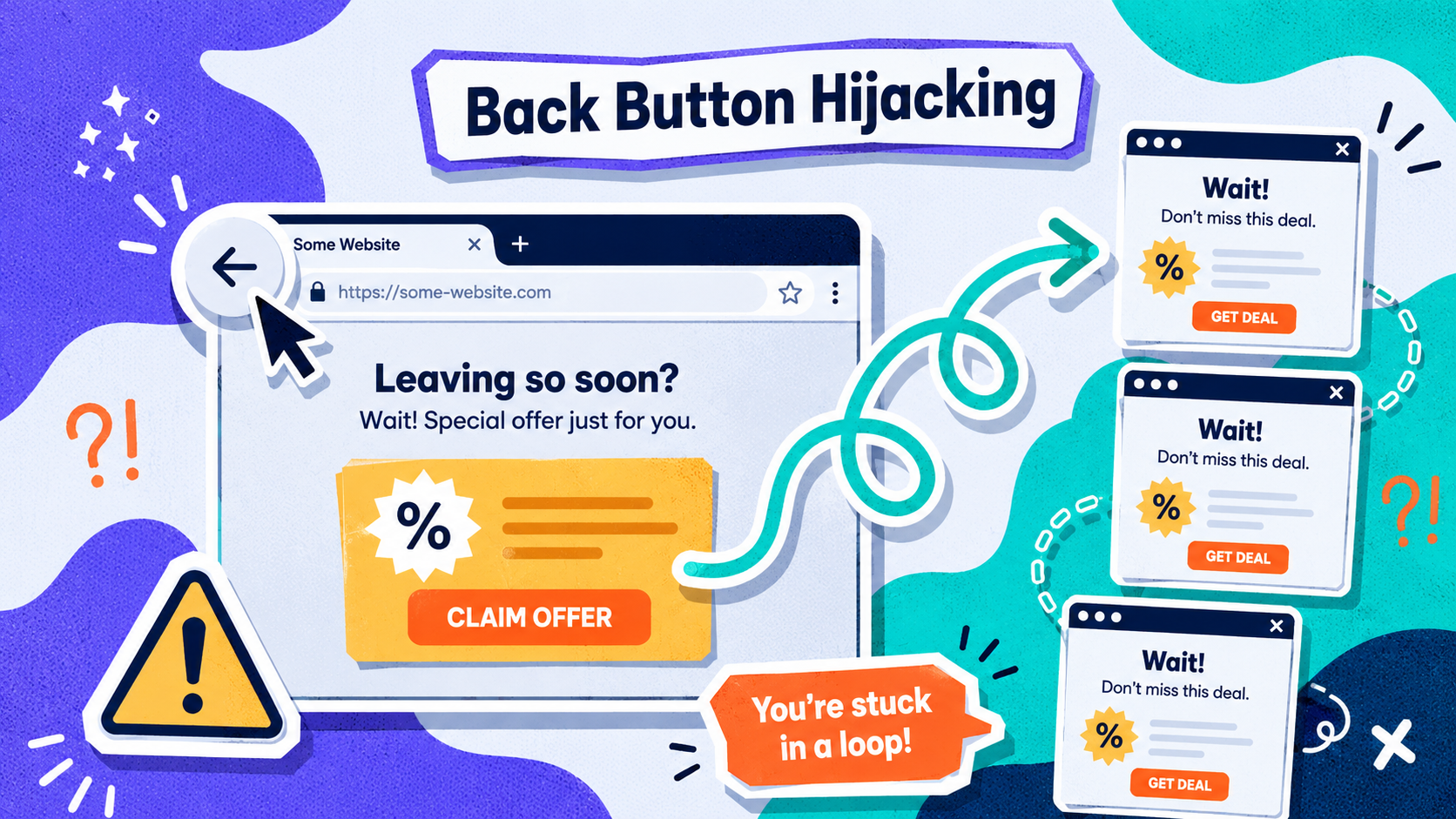
You know the moment. You’re on some shopping site, you click into a product, realize it’s not quite right (wrong color, wrong vibe, wrong everything), and hit Back, ready to escape.
Except… you don’t go back. Not even close.
Instead, you get a full-screen “Wait, don’t leave!” offer. You close it. You hit Back again. Another interruption. At this point, the problem is not the product, or the discount, or even the ad. The site has taken one of the most basic browser controls and turned it into a little retention trap.
That’s the everyday version of back button hijacking. It feels small until you realize the site has manipulated a basic browser control.
In April 2026, Google announced that back button hijacking would become an explicit violation of its Search spam policies under “malicious practices,” with enforcement beginning on June 15, 2026. Separately, on May 7, 2026, Google AdSense announced button would no longer trigger vignette ads, with that change also taking effect on June 15, 2026.
That pairing is the real story. Google no longer treats deceptive content as the only search-quality problem. Deceptive navigation now counts too. About time. (Welcome to the party, Google.)
For site owners, back button hijacking turns a tiny UX trick into a real risk surface, and consequently leads to SEO headaches, monetization drama, security issues, and governance messes, and, more importantly, a slow erosion of the one thing that compounds across sessions: trust.
I am reading this through a publisher and adtech risk lens. You can expect browser-history behavior, monetization scripts, third-party tags, Search policy, and the gap between what a dashboard counts as a successful session and what a user experiences as a loss of control.
The Back Button Is a Runtime Promise
Back-button hijacking occurs when a site interferes with the browser’s Back button, preventing you from easily returning to the page you came from.
Normally, if you open a page and realize it is not what you wanted, you should be able to press Back and leave. Hijacking breaks that by manipulating history, redirecting you, or inserting fake steps.
The result can look different. You might get stuck on the same page, pushed to an ad, sent somewhere you never clicked, shown an unsolicited recommendation, or forced to press Back repeatedly just to leave.
It only becomes hijacking when a site adds or alters history entries without a real, visible action you requested, typically to trap you, generate an extra pageview, or serve an ad.
The Technology Is Legitimate. The Abuse Is in the Flow.
A normal SPA (Single-Page Application) history flow looks like this:
- A user clicks a link, tab, filter, or route.
- The app updates visible content.
- The app calls pushState() to add a meaningful session-history entry.
- If the user presses Back, a popstate handler restores the previous meaningful state.
That’s good UX. The browser didn’t load a new document, but the user still gets a navigation model that makes sense.
A hijacked flow looks different:
- A user lands on a page from search, social, or an ad.
- A script silently inserts or replaces session-history entries.
- The visible page may not meaningfully change.
- When the user presses Back, a popstate handler, modal, or redirect sends them somewhere unexpected.
- The user is pushed into an ad, an offer, a scam, or a loop flow instead of returning.
// Add a new fake entry to the browser history for the current page.
// This means the browser now thinks there is one extra page in the history stack.
history.pushState({ exitTrap: true }, "", location.href);

// Listen for the user pressing the browser Back button.
// The "popstate" event fires when the active history entry changes.
window.addEventListener("popstate", () => {
  // Add the current page back into the history again.
  // This makes it harder for the user to actually go back normally.
  history.pushState({ exitTrap: true }, "", location.href);

  // Redirect the user to another page instead of letting them go back.
  location.href = "/recommended-offer";
});
Google’s position has nothing to do with SPAs being bad or with avoiding the History API, as these tools are neutral by design. What matters here is intent. If an entry in the history stack exists to delay, monetize, confuse, or reroute someone trying to leave, it is a deception pattern.
A Simple Diagnostic for Any Custom Back Behavior:
| Question | If the answer is “yes” | If the answer is “no” |
|---|---|---|
| Did the user choose to enter this state? | Legitimate (gallery click, filter, checkout step) | Manipulation (consent wall, exit-intent modal that appeared on its own) |
| Can the user predict what Back will do before pressing it? | Legitimate (next step in a known flow) | Manipulation (forced recommendation, mystery offer) |
| Is there a clear, unobstructed exit path? | Legitimate (visible close button, escape route) | Manipulation (modal with no X, looped redirects) |
If a site owner fails any one of the three, regardless of how technically elegant the code is, the implementation is a deception pattern. And yes, that third row is the one most engineers miss. A modal with no visible exit on mobile is the difference between annoyance and entrapment.
Why Google’s 2026 Policy Changes the Stakes
Google has warned about manipulative history behavior before, but this update raises the stakes. It names the pattern, sets a firm enforcement deadline, and groups it with malicious practices in Search spam policies.
This moves back button hijacking from “annoying UX” into the same enforcement tier as behaviors that can erode trust, security, or privacy.
Sites may face manual spam actions or automated ranking demotions in Google Search. Critically, Google holds site owners responsible regardless of where the code came from (whether from a library, an ad platform, or an in-house script).
In other words, “our ad partner did it” won’t save you.
The Trust Cost Is Bigger Than the SEO Cost
A recent AIO (AI Overview) usability study tracked 70 users across 8 tasks. The single biggest finding is a two-step filter users apply before they engage with anything:
- Do I trust this brand?
- Then, will this answer my question?
In that study, trust appeared to serve as the first filter, with relevance following.
In the same family of research on AI Mode behavior, brand recognition was the second-largest driver of trust — at 34% — right behind the AI’s own framing at 37%. I would treat those numbers as directional UX evidence rather than a universal benchmark for every query, but the pattern is still useful. Prior brand experience can shape whether a user accepts, skips, or distrusts an AI-assisted result presented to them. When users have a prior brand experience, positive or negative, that experience overrides the AI’s recommendation. It overrides rank position. One participant in the study ruled out a brand from consideration solely due to pre-existing negative sentiment.
Bar chart: what drives a user’s trust decision in AI search — AI framing 37%, brand recognition 34%
Survey insight
What drives a user’s trust decision in AI search?
The uncomfortable part is what happens after the session ends. If a publisher hijacks the Back button, the user does not just get irritated and move on. They remember the domain. Next time it shows up in Google, an AI Overview, or a social feed, they skip it. That one trapped session can quietly cost them all the visits the user now avoids.
“An exit-intent modal that converts 2% of users looks like a win in the dashboard. What the dashboard doesn’t show: the 98% who left with a negative sentiment, and are now more likely to skip your domain the next time it appears in search.”
The Categories Most Likely To Get Hit
Not every site is equally exposed. Risk scales with how tightly session extension is bolted to the business model. Roughly, in descending order.
I’d treat this as a risk ranking, not a prevalence table. The way I’m thinking about it is simple. Does the page make money by keeping you there? Does this category often rely on third-party monetization scripts, and how much does a normal Back-button exit hurt the business?
| Tier | Category | Why it’s exposed | Likely source |
|---|---|---|---|
| Highest | Freeware / software downloads | Every download page is a monetization event. Often baked into the page template. | First-party / intentional |
| Very high | Coupons & deal sites | A back press = a lost conversion. Affiliate rates already compressed. | First-party and exit-intent tools |
| High | Affiliate review sites | Heavy ad tech stacks; survivors of the Helpful Content era still run aggressive recommendation widgets. | Mostly third-party |
| High | Low-quality news / content farms | Already plastered with ads; back button manipulation often co-occurs with other dark patterns. | First-party and third-party |
| Medium-high | Entertainment & streaming aggregators | Piracy-adjacent sites use it deliberately; legit aggregators still run recommendation widgets. | Mixed |
| Medium (but most concerning) | Legitimate publishers with unaudited ad tech | Didn’t choose this; inherited it from monetization partners. | Third-party |
The last row is the one that should be bothered the most. These publishers are not the worst offenders. In many cases, they did not opt into the behavior at all. They still get swept into a policy Google built for spam sites.
Ad Tech Is Where the Pressure Shows Up Next
The AdSense change is the clearest proof that this is not a theoretical policy update.
Google says the browser Back button will no longer trigger in-page ad vignettes across supported browsers, including Chrome, Edge, and Opera. That change applies automatically to publishers who have opted in to additional vignette ad triggers.
So the timing is difficult to ignore. Google’s own ad product drops Back-button triggers on the same day Search starts enforcing the policy. For every other ad network, the point is pretty clear. Stop treating a user’s attempt to leave as another chance to serve an ad. Any ad network still pitching Back-button triggers is selling ranking risk and calling it monetization.
If you’re a publisher who never intentionally added back‑button manipulation, run the audit steps below today. It’s possible a monetization partner injected the behavior without your knowledge. Finding it and removing it protects you from Google’s enforcement – and from losing user trust you never knew you were burning.
The Security Angle Is Not Hypothetical
This is where the issue becomes sharper than “bad UX.”
Confiant has reported on the malvertising actor D-Shortiez, which abused WebKit behavior in a forced-redirect campaign. The payload used pushState() and onpopstate to disable the Back button and prevent users from navigating through malicious click chains. Confiant said the campaign served more than 300 million malicious ad impressions over six months, primarily targeting U.S. audiences.
Back-button abuse is not always malware. The same navigation trick becomes a containment tactic for scam pages, forced redirects, browser-locking patterns, fake downloads, and unwanted software flows.
A discount pop-up and a tech-support scam are not the same. But once they take over the browser controls, both rely on the same bad idea: treating the user’s decision to leave as negotiable.
How To Find the Problem Before Google Does
A code search alone will miss some of this, since the behavior occurs at runtime. But teams can catch much of it with simple browser testing, and, surprisingly, much of it requires no engineering time at all.
The human test (5 minutes)
Open a fresh browser session. Enter the site the way a real user would — from Google Search, a social link, an ad, or an email campaign. Click into a few pages. Press Back once. Then press it again. If you see popups, redirect loops, repeated recommendations, fake exits, or the same page refusing to let you go, congratulations: you have a problem worth investigating.
Then test the mobile experience separately. On a desktop, a frustrated user can close a tab, type a URL, or use visible browser controls. On mobile, the Back button is often the only escape route. A full-screen modal or redirect loop can feel less like friction and more like a trap.
Mobile users are especially vulnerable. On a desktop, a frustrated person can close a tab, click the address bar, or use keyboard shortcuts. On a phone, the Back button is often the sole reliable escape. Hijack it there, and you’ve effectively locked someone inside your page. That’s not retention. That’s hostage‑taking.
The DevTools test (30 minutes, no engineering required)
Open Chrome DevTools. Go to the Sources panel. Add a breakpoint on history.pushState and history.replaceState. Navigate your site normally. Click around. Hit Back.
Watch which scripts trigger those breakpoints. The call stack tells you exactly which tag, library, or vendor is touching your history stack.
This is the single highest-leverage 30 minutes a small publisher can spend this quarter.
For evidence, record the test or save the DevTools call stack. A short screen recording, plus the source code, is much harder for a vendor or internal team to dismiss than a vague complaint that “the Back button feels broken.”
// Logs whenever code changes browser history and detects when the user navigates back or forward.

// Store the browser's original history.pushState function.
// We need this so we can still call the real function later.
const originalPushState = history.pushState;

// Replace history.pushState with our own wrapper function.
// This lets us log whenever any code calls pushState.
history.pushState = function (...args) {
  // Print a stack trace showing where pushState was called from.
  // This is useful for finding which script is changing the URL/history.
  console.trace("pushState called", args);

  // Call the original pushState function so the browser behavior still works normally.
  return originalPushState.apply(this, args);
};

// Listen for back/forward browser navigation.
// The "popstate" event fires when the active history entry changes.
window.addEventListener("popstate", event => {
  // Log the navigation event, the stored history state, and the current URL.
  console.log("Back/forward navigation detected", event.state, location.href);
});
This does not automatically prove abuse, but it shows which script is touching browser history and when. For ad ops and engineering teams, that timing can be the entire case: did history change after a real click, or did a monetization script change it before the user did anything?
The vendor test (an email anyone can send)
This sounds obvious. Almost nobody does it. Email each ad network, recommendation widget provider, exit-intent tool, and affiliate platform you use. Ask one specific question: “Does your script call history.pushState or history.replaceState? If yes, under what conditions, and what does it do with those calls?”
If a vendor cannot answer that question clearly and in writing, treat the silence as the answer.
6-step audit for resource-constrained publishers
| Step | Action | Tool | Time |
|---|---|---|---|
| 1 | Inventory every third-party tag, vendor, and script firing on your pages | Tag Manager | 30 min |
| 2 | Set breakpoints on history.pushState / replaceState; navigate the site | Chrome DevTools (Sources panel) | 30 min |
| 3 | Audit your top 10 organic-traffic pages first | Search Console + DevTools | 1 hour |
| 4 | Email each vendor with the single direct question above | 15 min | |
| 5 | Set up weekly Search Console checks (Manual Actions, Security Issues) | Search Console alerts | 5 min/week |
| 6 | Document remediation: what you found, what you removed, when | A shared doc | Ongoing |
The honest alternative
If you want someone to stay, earn it. A well‑timed, non‑intrusive exit survey, a clearly labeled “continue browsing” recommendation, or a simple bookmark prompt respects the user’s agency. These convert fewer panicked backs, but they build something the hijacked back never can, i.e., return visits from people who chose to come back.
Ask yourself: would you explain this interaction to a user face‑to‑face? If the answer is no, don’t code it.
The Bigger Trend: User Control Is Becoming Enforceable
Back button hijacking fits into the larger conversation about dark patterns because it strips away fundamental user choice. That is why the regulatory backdrop also matters. In 2024, the FTC, ICPEN, and GPEN reported that nearly 76% of reviewed subscription websites and apps used at least one possible dark pattern, with nearly 67% using multiple.
Legal enforcement is catching up. The same dark patterns that trap users are increasingly being treated as unfair or deceptive practices under laws such as the EU’s Digital Services Act and California’s consumer privacy regime. A back‑button hijack that confuses or traps a user is not just a spam violation; it can become a regulatory liability.
Back-button hijacking belongs to the same family of design choices: growth won by confusing the user rather than earning the next click.
The old web rewarded more page views, more ad impressions, and more chances to convert. The newer standard is tougher. Growth cannot come from taking control away from the user. Search quality now also includes what happens when someone tries to leave a page.
Your Website Should Not Refuse Your Users
The most honest standard is the most direct: when someone decides to leave, let them. A clean exit lets the session end without resentment. The user can close the page and still feel okay about coming back.
Back-button hijacking violates that basic expectation. It makes the user deal with a page they were already trying to leave. After that, even a future visit feels a little conditional.
Good websites do not need to trap people to earn another click. They make leaving easy because they know there is a reason to come back.